Wanted to make a quick note of something which would have helped me with labs a lot in the past, but never bothered to do. Having a way to SSH directly into my EVE-NG labs is something which would have been immensely helpful in the past, and I do not know why I didn’t do this sooner:
Within your topology, identify the device that you want to connect to the same “port” as your EVE-NG interface that you are connecting to. In my case I have a bare metal EVE-NG installation which connect to my home router using a static IP of 192.168.1.19:
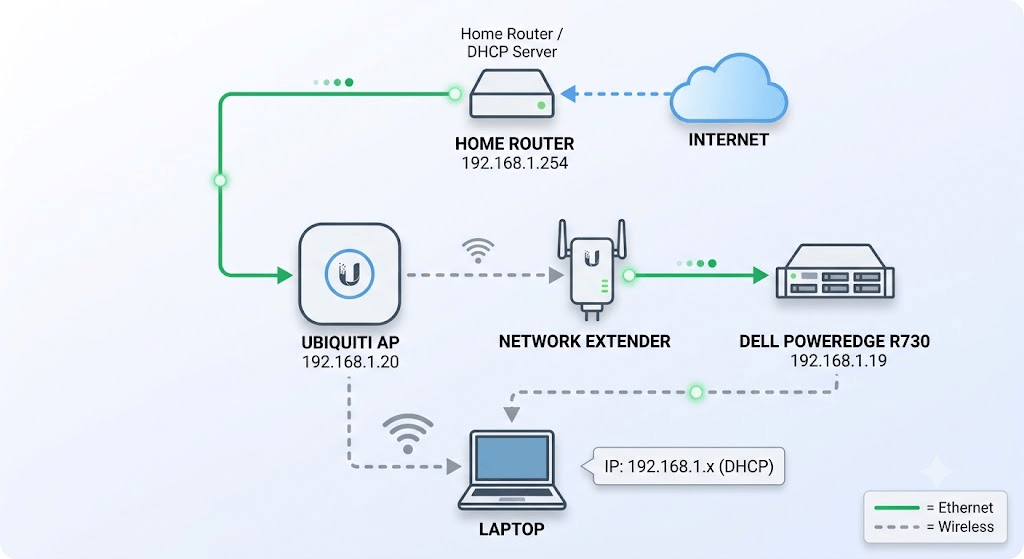
- Identify a device you want to connect to your same “interface” as the poweredge server (E1). In my case i’m using the Linux desktop in my lab:
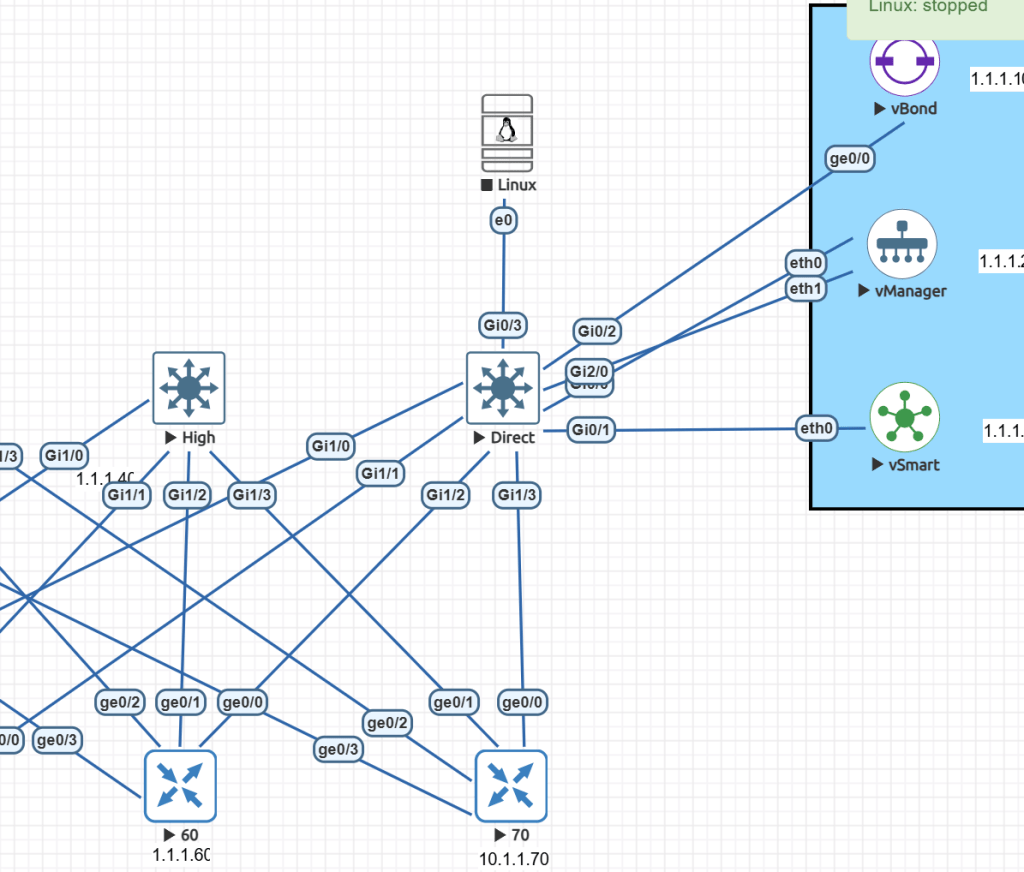
2. Make sure its shutdown so you can add a second interface. Right click and edit the device:
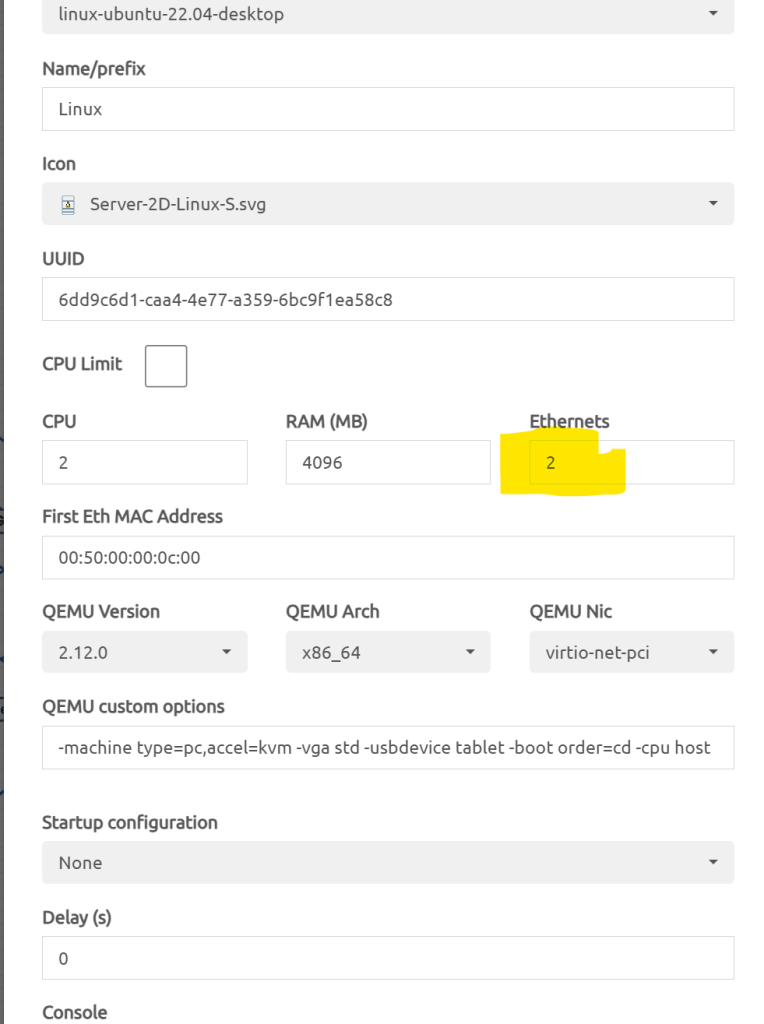
3. Change that Ethernets from 1 to 2
4. Then, “Add an object”, select “Network”.
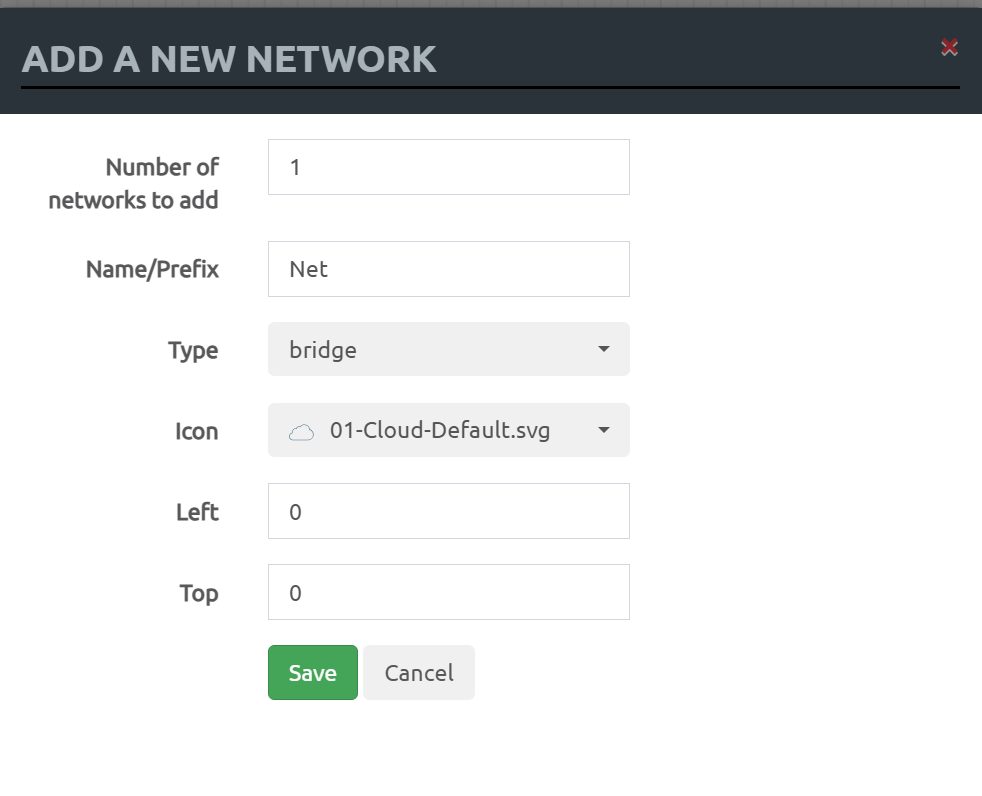
5. Select “Management (cloud0)” from the dropdown to use the same management interface as EVE-NG:
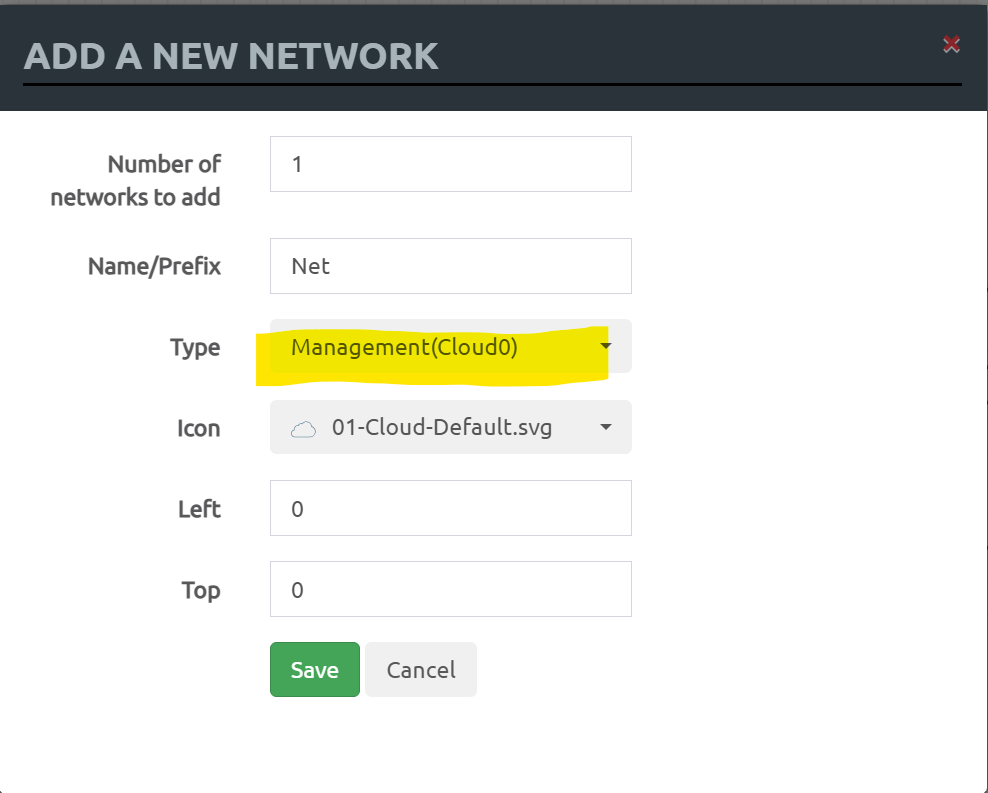
6. Drag the cable and add it to the free port on the Linux box:
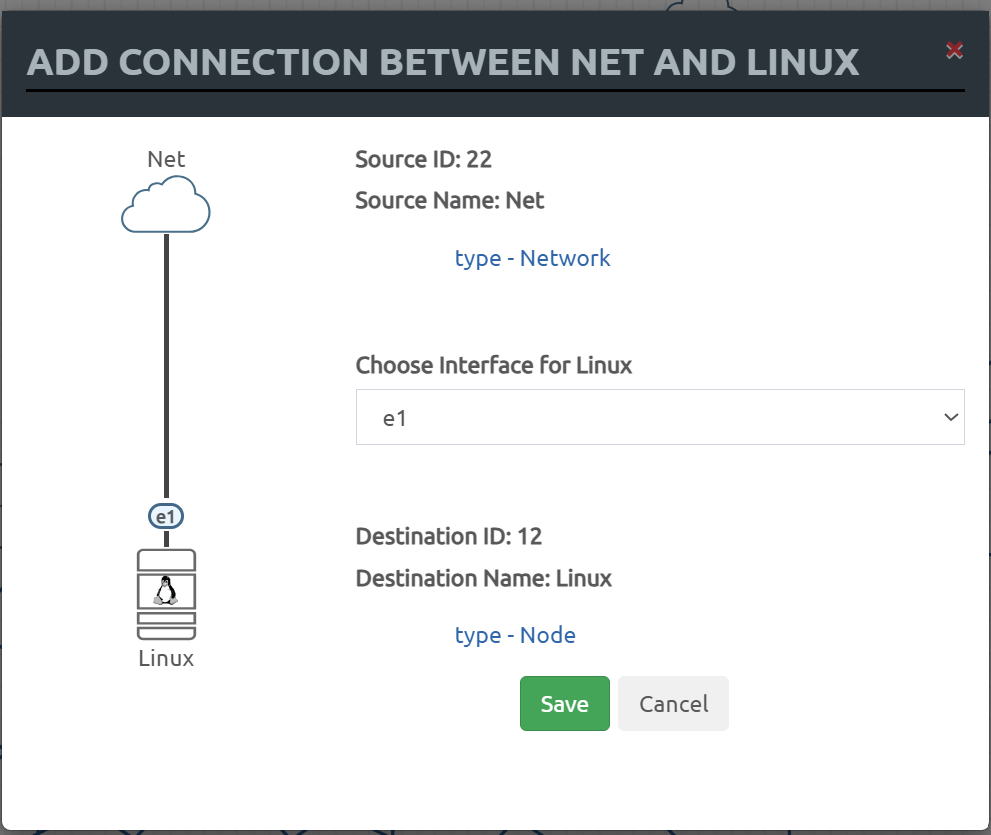
7. power back up the Linux box.
8. Assuming you have a DHCP server, it should pickup an address, type “ip -a” to see if you did:
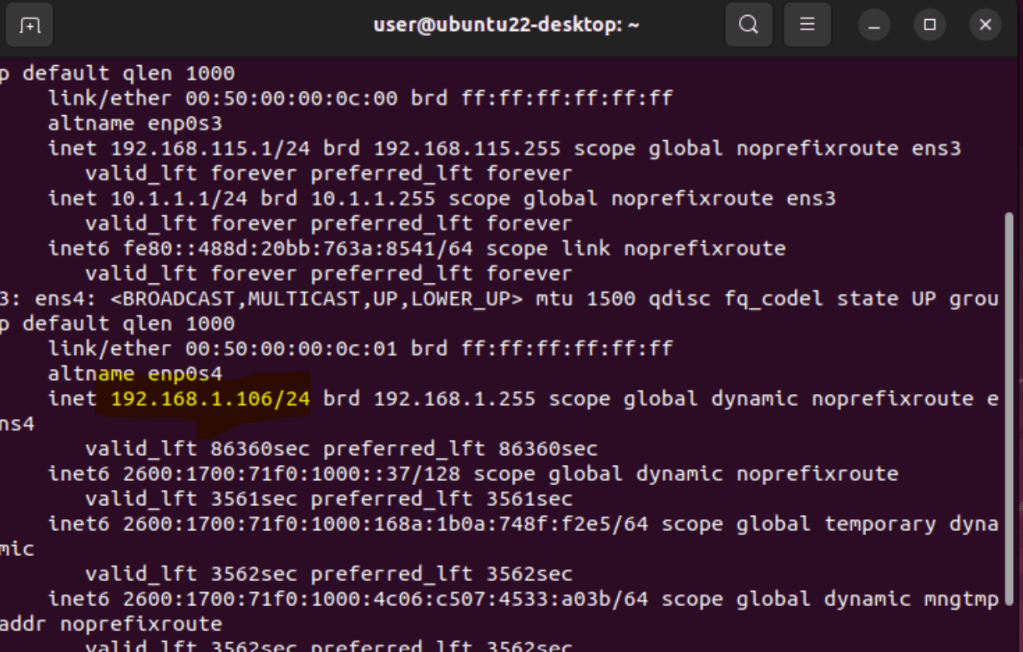
9. You may need to turn on SSH or add openssh packages, but after that I was able to reach the Ubuntu Desktop directly from my laptop in the diagram above.
Happy labbing!


Leave a comment